Sunday morning, minus the scramble.
Schedule every kids' room in minutes, from your desk. Volunteers run it with the TV remote they already know: no training, no tech person on call.
Your first TV free, for good · No card needed
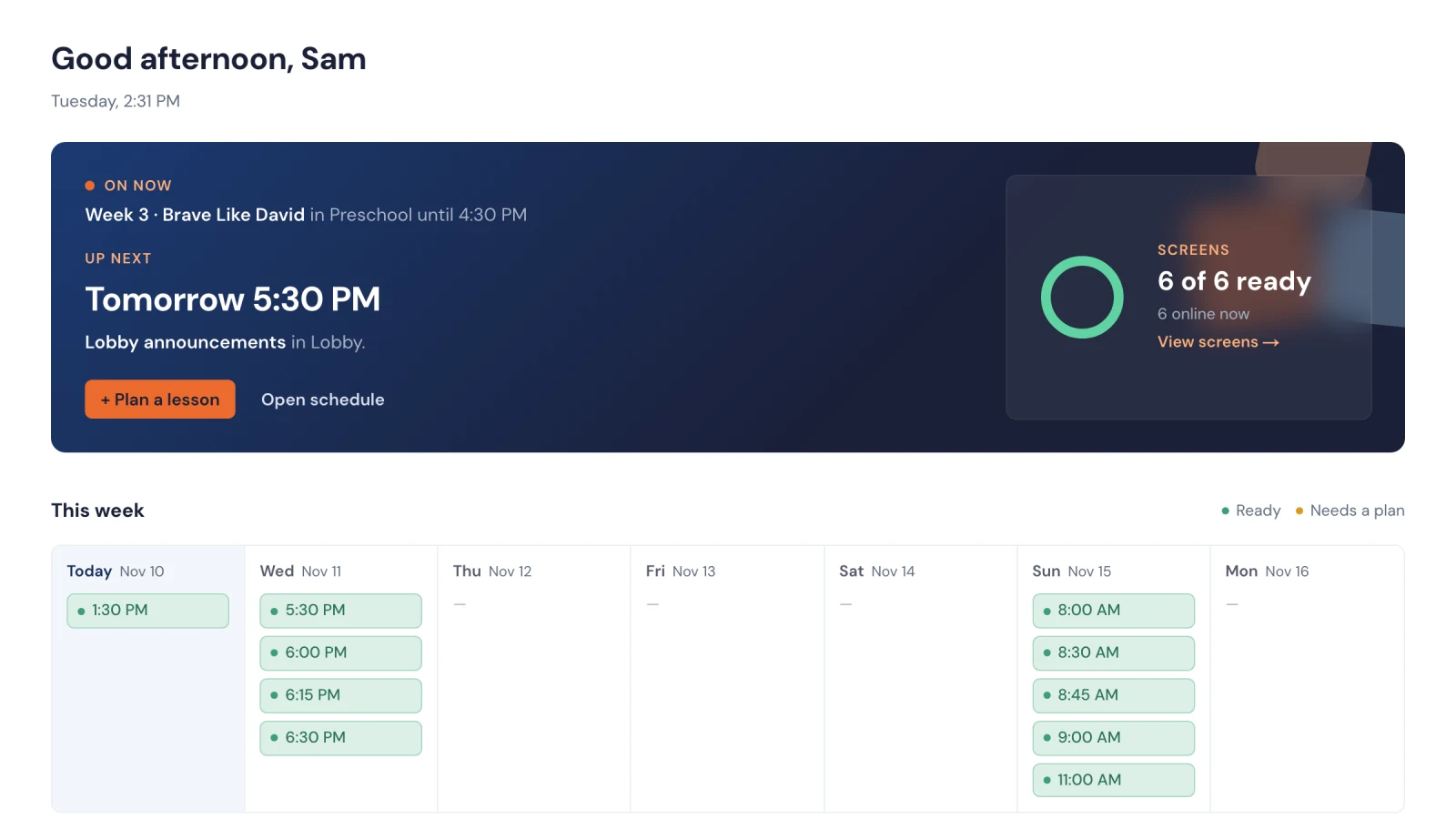
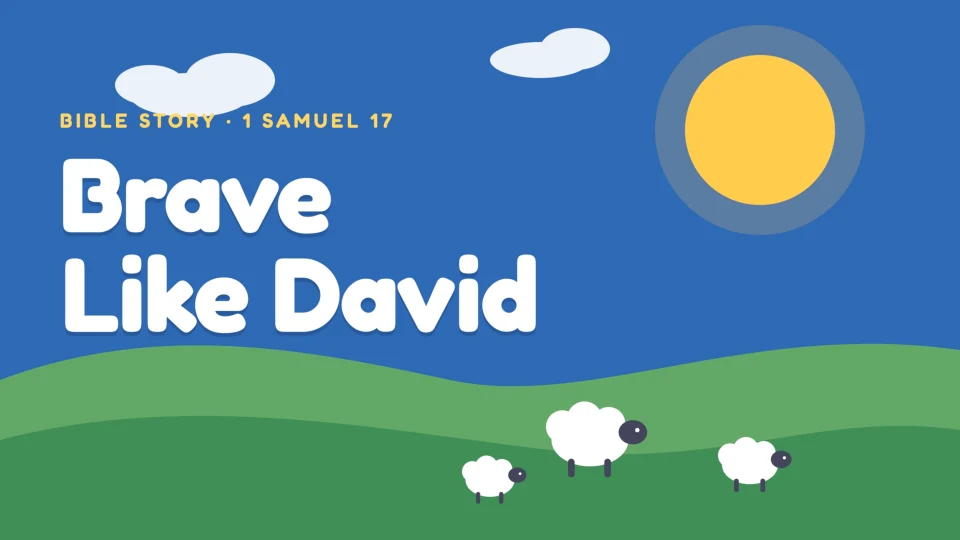
Sound familiar?
Most kids' rooms still run on a flash drive and a prayer.
A USB stick per room
Copied on Saturday night, handed out at 8:30, and one always goes home in a volunteer's pocket.
A laptop on a cart
That decides to update at 8:55, or that nobody but you knows how to work.
ProPresenter in every room
A pricey license and a computer per room, and someone who knows how to drive it, just to play a video and a song.
How it works
Schedule it on Tuesday. Hand over the remote on Sunday.
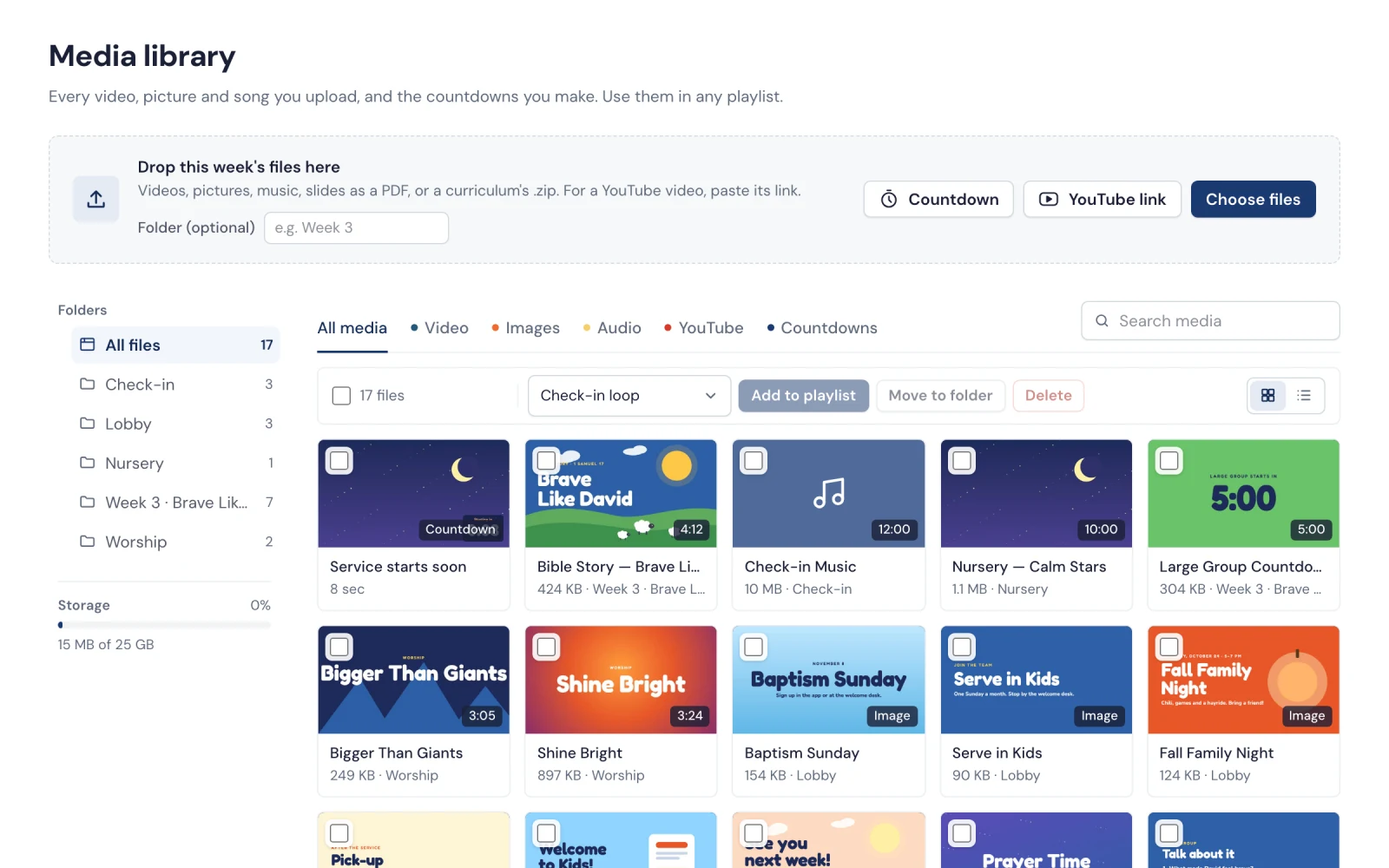
Drop in this week's files
Videos, songs, countdowns, and the PDF or zip your curriculum comes in. Every slide becomes a picture, and every file is made ready to play smoothly on every TV.
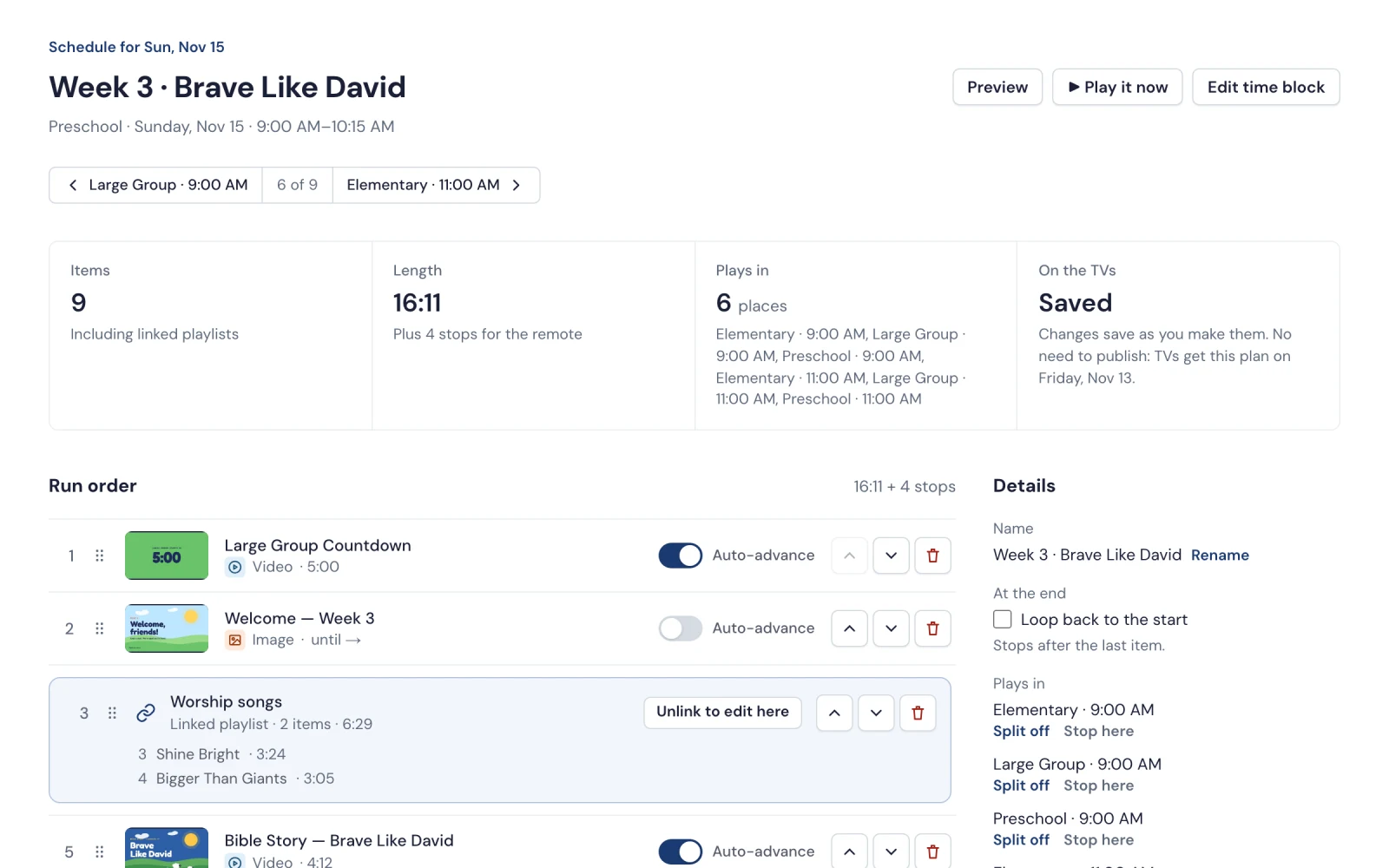
Plan each room's morning
Put the run order together once and use it in every room and service, or start from last week's. Choose which slides wait for the volunteer. Lobby loops just repeat.
Hand over the remote
Each room's TV has the lesson ready when the service starts. Volunteers skip, pause and pick with the remote. It keeps playing if the Wi-Fi drops.
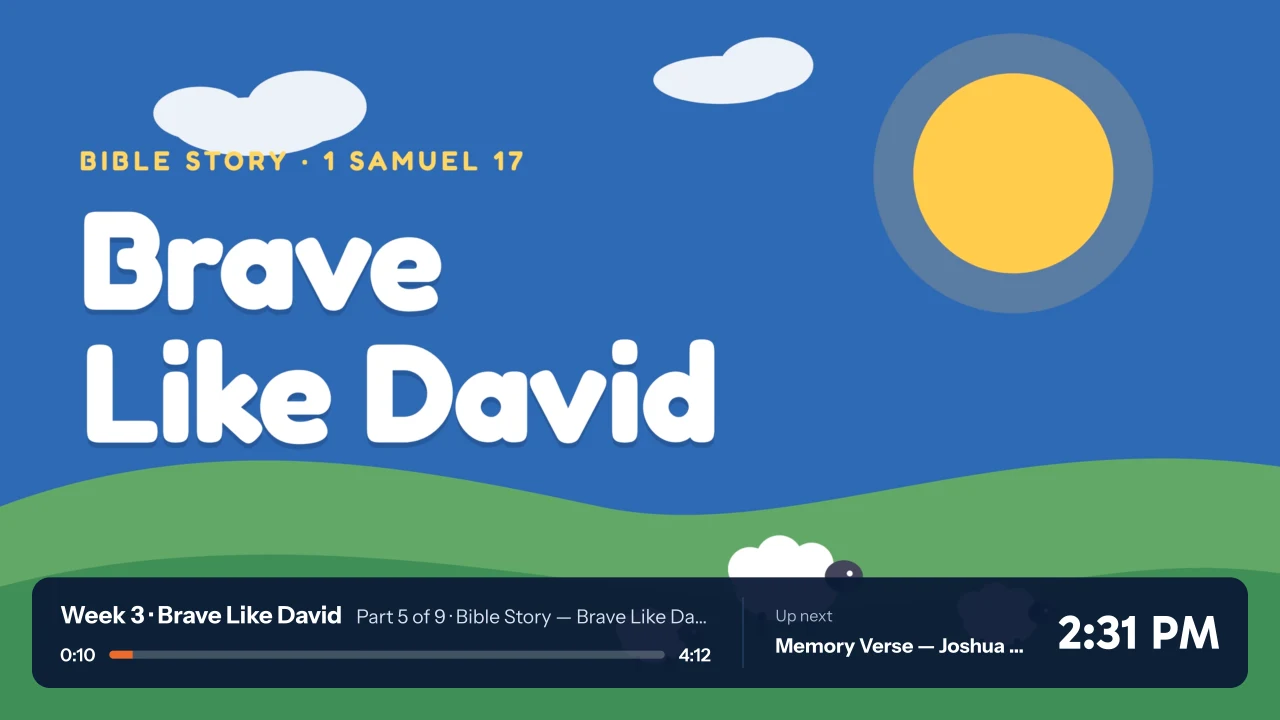
For volunteers
Ten seconds of training. One remote.
Every leader already knows how to use a TV remote. StoryScreen works the same way on every TV, so the sub who's never been in the 2nd grade room can still run the lesson.
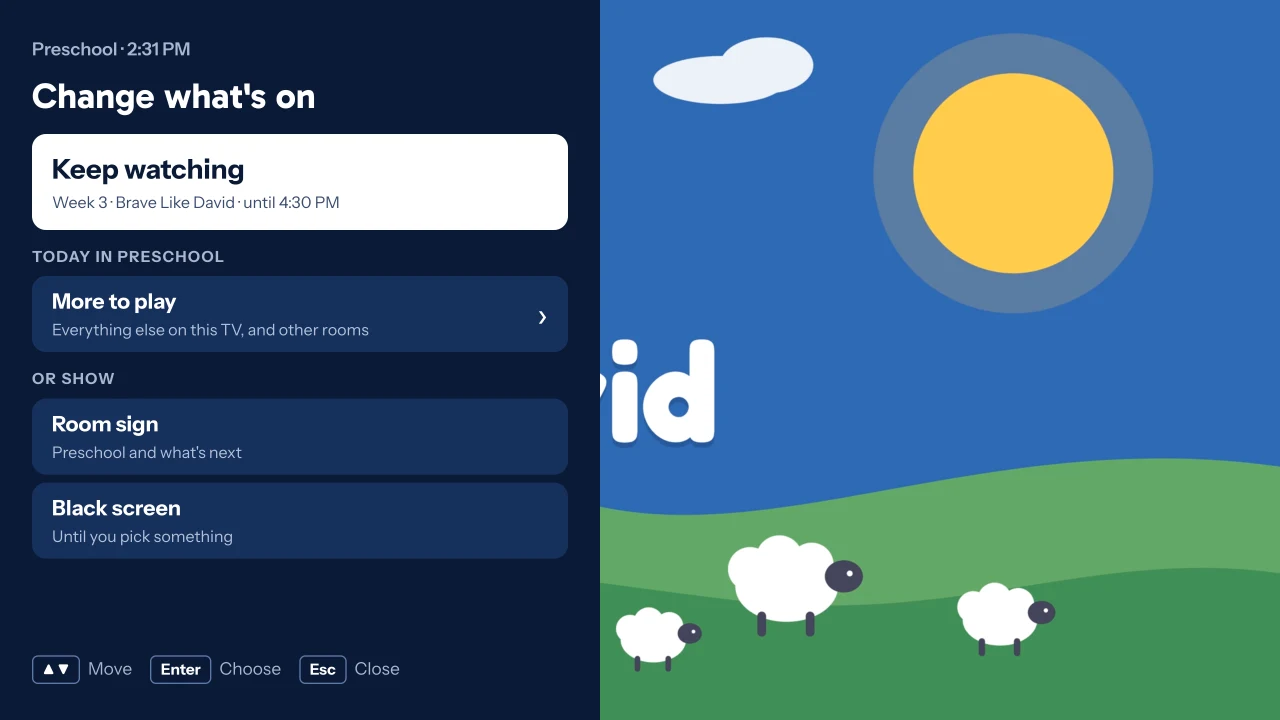
- Same buttons in every room. Fire TV, Google TV, Roku, or a laptop with a clicker, it all works the same way.
- Lost the remote? Scan the code on the TV's menu and use your phone. No app, no sign-in.
Works on what you have
No new TVs. No special hardware.
Start with the Roku TV already on the wall, the Apple TV you already have, a Fire TV Stick from the store down the road, or a Mac or Windows laptop. Mix and match room by room.
Pricing
Your first TV is free. Then $10 a TV, and less as you add more.
One simple monthly price per TV, with everything included. Your first TV is free for good, with no card needed.
- Every room and campus
- Your whole team, with roles
- 100 GB for your media
- Weekly plans and schedules
- Phone remote
- Lobby and check-in screens
Count every kids' room, lobby and campus.
$32.20 a month for the first 20 churches to subscribe, for good.
Monthly, cancel any time.
Playlister Lite at its list prices of $21.99 a TV a month, or $19.99 on its yearly plan, as of October 2026. It runs on Apple TV only.
Early access
Be one of the first churches on StoryScreen.
Set up your church in a few minutes, with no sales call. You get a direct line to the person building it: ask for something and watch it ship.
- Your first TV is free, for good, with every feature. No trial to run out, and no card.
- Founding churches: the first 20 churches to subscribe keep 30% off for as long as they subscribe. Spots are limited.
Questions
The ones kids' pastors ask first.
Does it work with our curriculum?
If it comes as videos, pictures, music, PDFs or a zip, yes. Download it as usual and drop it in: each PDF page becomes a slide, and a zip is unpacked for you. Slides in PowerPoint or Keynote? Save them as a PDF first. YouTube links work too, as long as the room has internet.
Do we need to buy anything?
If your TV has Fire TV, Google TV or Roku built in, no: get StoryScreen from its app store and you're set. Otherwise, plug in a simple streaming device, like a Fire TV Stick, a Roku stick, a Google TV Streamer or an Apple TV. A laptop with a web browser works too.
How do we set up a TV?
Install StoryScreen on it and it shows a short code. Type that code into your StoryScreen account, pick the room, and it's connected. From then on it plays that room's lessons by itself.
Can each room show something different?
Yes. Every room plays its own lesson, and you can plan weeks ahead. Change a lesson and the TVs pick it up on their own.
Does every volunteer need an account?
No. Only the people who plan lessons sign in. Volunteers use the TV's own remote, or scan the code on the TV with their phone.
Can volunteers break it?
Not really. They can skip, pause or pick another playlist, and the TV goes back to your schedule when the next service starts. Only your team can change what's on the TVs.
Is there a contract?
No. It's month to month, and you can cancel from your account whenever you like. Your TVs keep working until the end of the month you've paid for, and your first TV keeps playing after that.